How to Find Your Appliance Model Number — and Why It Matters
When you call for appliance service, the model number is the single most important piece of information you can provide. It tells the technician exactly what machine you have—not just the brand, type and color, but the specific configuration, components, wiring diagram, parts catalog and known issues for that unit. Without it, the technician may arrive without the right parts, need extra time to identify the system layout or have to make a return visit.
The model number is not the same as the brand name, the series name, the color code or the badge on the front of the appliance. It is a specific alphanumeric code assigned by the manufacturer that identifies the exact production specification of your unit.
This guide shows you where to find the model number on every major household appliance, what the label looks like, what other information is on the label and how to record it accurately.
What Is on the Appliance Data Label?
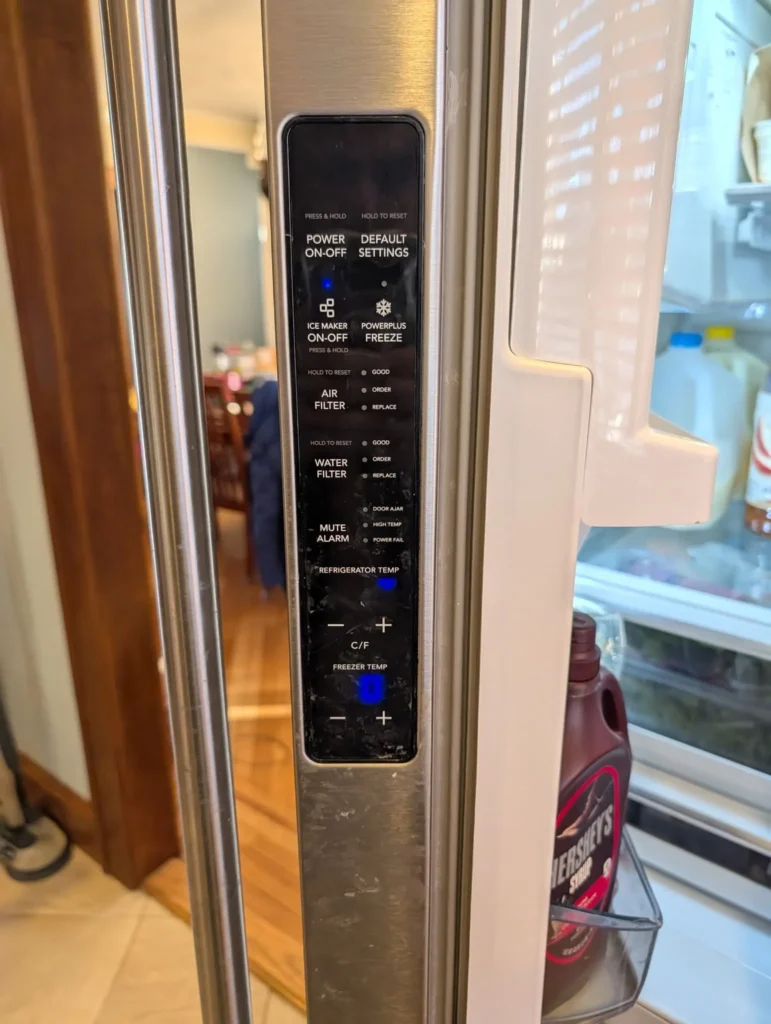
Every major household appliance has a data label—also called a rating plate, nameplate, identification label or specification label—that contains some or all of the following:
- Model number. The primary identifier for the appliance’s specification and configuration.
- Serial number. A unique identifier for the individual unit, used for warranty verification, recall checks and age determination.
- Brand name. The manufacturer or brand under which the appliance was sold.
- Electrical specifications. Voltage, amperage, wattage, frequency and phase information.
- Gas specifications (gas appliances). Gas type (natural or LP), BTU rating and manifold pressure.
- Manufacturing date or date code. Sometimes encoded in the serial number.
- Country of origin. Where the appliance was manufactured.
- Certifications. UL, CSA, ENERGY STAR and other safety and efficiency certifications.
- Capacity. Cubic feet (refrigerators, ovens), load capacity (washers, dryers) or place settings (dishwashers).
Record the full model number and serial number exactly as printed, including all letters, numbers, dashes and spaces. Do not guess at unclear characters. Take a photograph of the entire label.
Where to Find the Model Number: Appliance by Appliance
Refrigerator
The model number label on a refrigerator is usually in one of these locations:
- Inside the fresh-food compartment, on the sidewall near the top, on the ceiling or behind the crisper cover.
- Inside the freezer compartment, on the sidewall or behind the ice maker.
- On the back of the refrigerator, typically on the upper half. This location requires pulling the unit away from the wall, which should be done only with the water supply off and the power cord safe.
- Behind the kickplate or grille at the bottom front of the refrigerator.
On French-door models, check the left wall of the fresh-food section near the top. On side-by-side models, check the fresh-food side near the top. On top-freezer models, check either side of the fresh-food compartment.
Standalone Freezer
- Chest freezer: Check the inside of the lid, the exterior back or the side panel.
- Upright freezer: Check inside the door frame, the sidewall near the top or the back exterior.
Washing Machine
The label location depends on whether the washer is top-load or front-load:
- Top-load washer: Open the lid and check the top edge of the tub surround, the back of the control panel (lift or tilt the panel), the underside of the lid or the side of the cabinet where the lid closes.
- Front-load washer: Open the door and check the door frame (the rim of the tub opening), inside the door opening, behind the detergent dispenser tray (pull it out) or the back of the machine.
- Stacked washer-dryer: The washer label is usually accessible through the door frame. The dryer label may be inside the dryer door frame. The stacking kit may obscure some labels.
Dryer
- Open the dryer door and check the door frame—the metal rim of the drum opening. This is the most common location for both gas and electric dryers.
- Check the back of the dryer, the inside of the door or behind the lower access panel.
- Gas dryers: The label may also be near the gas burner access panel at the lower front or rear.
Dishwasher
The dishwasher label is almost always accessible without tools:
- Open the door and check the edge of the door, the door frame or the side of the inner door panel. On most models, the label is on the left or right edge of the door, visible when the door is open.
- Check the tub interior along the top edge of the opening.
- Some older models place the label behind the kickplate at the bottom front.
Oven, Range and Cooktop
- Freestanding range: Open the oven door and check the door frame—the metal edge around the oven opening. Also check inside the storage drawer or warming drawer area, on the back of the range or on the side panel behind a removable trim.
- Wall oven: Open the oven door and check the door frame. On some models, the label is behind the oven door, on the edge that faces the cavity when closed.
- Slide-in range: Check the oven door frame, the storage drawer area or the side of the range behind the countertop edge.
- Cooktop (built-in): Lift the cooktop if it is hinged, or check underneath, along the edge, or on the bottom surface. Some cooktop labels are only accessible from below.
Microwave
- Over-the-range microwave: Open the door and check the inside of the door, the door frame, the interior sidewall or the top edge of the cavity.
- Countertop microwave: Check the back panel, the bottom surface or inside the door.
- Built-in microwave: Check the door frame or the edge of the door.
Garbage Disposal
- Check the bottom of the disposal unit from below the sink. The label is usually on the bottom plate or the side of the canister. A flashlight is helpful.
- Some models stamp the model number into the metal housing near the bottom.
Range Hood and Exhaust Fan
- Check inside the hood, on the top surface (may require removing the filter or grease baffle) or on the side panel inside the housing.
Brand-Specific Label Locations and Formats
While the general locations above apply to most appliances, some major brands have specific patterns that can save time.
Whirlpool, Maytag and KitchenAid
These brands are manufactured by the same parent company and often use similar label placements. The model number typically starts with letters that indicate the appliance type. Look inside the door frame (dishwashers, ovens, dryers) or inside the fresh-food compartment wall (refrigerators). The label format usually includes dashes separating sections of the model number. Copy every character and dash exactly.
Samsung
Samsung appliances frequently place the label inside the door frame (all types) or on the back wall of the refrigerator compartment. Samsung model numbers tend to be longer than average—often 12 or more characters—and include both letters and numbers. The serial number is separate and typically starts with a letter code indicating the factory.
LG
LG uses a consistent label format across appliance types. Check inside the door frame or on the interior sidewall. LG model numbers usually start with letters indicating the type and series. The serial number encodes the manufacture date in the first few characters.
GE and GE Profile
GE Appliances places labels inside the refrigerator compartment (upper sidewall), inside the oven door frame, inside the dishwasher door edge and inside the dryer door frame. GE model numbers are typically concise—often 10 to 12 characters. GE Profile and GE Café models follow the same pattern.
Frigidaire and Electrolux
Frigidaire labels are typically inside the door frame (ovens, dryers, dishwashers) or inside the fresh-food compartment (refrigerators). Electrolux-brand appliances use a similar placement. Model numbers often start with a letter code indicating the brand line.
Bosch
Bosch dishwashers place the label on the inside edge of the door—visible when the door is fully open. The label is narrow and may be on the top, left or right edge. Bosch model numbers are typically compact but include a series code that distinguishes between product generations.
Sub-Zero, Wolf and Cove
Premium built-in brands like Sub-Zero, Wolf and Cove place labels in similar locations to standard brands, but the labels may be behind interior panels, behind trim or inside access compartments that require the owner manual to locate. These brands also maintain detailed online serial-number lookup tools on their websites.
What If the Label Is Missing, Damaged or Unreadable?
Labels can fade, peel, get covered by spills, be removed during cleaning or become unreadable over time. If you cannot read the label:
- Photograph it anyway. Even a faded label may be partially readable when zoomed in or adjusted for contrast on your phone.
- Try different lighting. Hold a flashlight at a steep angle across the label surface. This can make embossed or faded text more visible through shadows.
- Check purchase records. Receipts, warranty registration, retailer order history, home inspection reports and credit card statements may contain the model number.
- Search online. If you know the brand and the approximate type, you may be able to narrow the model by comparing product photos, dimensions and features on the manufacturer’s website.
- Check the owner manual. If you still have the manual, the model number is usually printed on the cover or the first page.
- Look for secondary labels. Some appliances have a second label on a different panel, on the compressor (refrigerators), on the motor (washers) or on the control board housing.
- Check the manufacturer’s website. Some manufacturers offer product identification tools where you can narrow down the model by selecting the type, series, color and features.
- Tell the technician. When scheduling service, let the provider know the label is missing. A technician can often identify the model from the serial number, the configuration or the internal component layout, but it may take additional time.
Common reasons labels become unreadable
- Steam and heat exposure. Dishwasher labels, oven labels and labels inside steam-producing appliances degrade faster.
- Cleaning chemicals. Harsh cleaners, degreasers and abrasive pads can dissolve label adhesive or strip ink.
- Age. Thermal-printed labels fade over 10 to 15 years, especially in warm or humid environments.
- Removal. Some owners or previous tenants remove labels during cleaning or refinishing.
If the label is damaged but partially readable, record whatever characters you can see and note the positions of unreadable characters. A partial model number with a known brand is often enough for a technician to identify the unit.
Model Number Versus Serial Number: What Is the Difference?
Both are on the same label, but they serve different purposes.
| Model number | Serial number | |
|---|---|---|
| What it identifies | The product specification, configuration and design | The individual unit |
| Shared with other units? | Yes, all units of the same model share it | No, each unit has a unique serial number |
| Used for | Parts ordering, wiring diagrams, service manuals, recalls | Warranty verification, recall verification, age determination |
| Format | Typically shorter, may start with letters indicating brand and type | Typically longer, may encode manufacture date and factory |
You need both numbers for a complete service record. The model number gets the right parts. The serial number verifies the warranty and checks for recalls.
How to Record and Store Your Model Numbers
Spending five minutes recording your appliance model numbers before you need them saves time during an emergency.
Create a simple inventory
For each major appliance in your home, record:
- Appliance type and location (e.g., “Kitchen refrigerator”).
- Brand.
- Full model number, copied exactly.
- Full serial number, copied exactly.
- Approximate purchase or installation date.
- Photograph of the full data label.
Where to store the information
- Phone. Save a note or photo album with label photographs.
- Email. Send yourself an email with the model numbers and photos. It is searchable and backed up.
- Paper. Keep a printed list with the owner manuals, in a household file or on the inside of a cabinet door.
- Home-management apps. Some apps allow you to catalog appliances with photos and model numbers.
When to update
Update the inventory when you purchase, replace or move an appliance. If a technician provides a repair receipt with the model number, verify it matches your records.
Why Does the Model Number Matter So Much for Service?
Parts accuracy
Appliance parts are model-specific. A heating element, door gasket, control board, pump or igniter for one model may not fit another model of the same brand. The model number ensures the right part is ordered the first time.
Wiring diagrams and service manuals
Technicians use wiring diagrams and service manuals to trace circuits, test components and follow manufacturer-specific procedures. These documents are indexed by model number.
Error code interpretation
The same error code can mean different things on different models, even within the same brand. The model number tells the technician which error-code table applies.
Recall verification
Product recalls are issued for specific model and serial number ranges. Checking whether your appliance is affected requires the exact model and serial number, not just the brand. Search the CPSC recall database with both numbers.
Warranty verification
Manufacturer warranties are tied to the model and serial number. The serial number establishes the manufacture date and the warranty period. Without it, warranty claims cannot be processed.
Repeat-failure history
If your appliance has been serviced before, the model number connects the service history to known issues, technical service bulletins and common failure patterns for that production run.
Tips for Getting a Clear Label Photograph
- Use your phone’s camera with the flash on and focus on the label text.
- Avoid shadows. If the label is inside a dark compartment, use a flashlight held at an angle.
- Take the full label. Do not crop to just the model number. The serial number, electrical specifications and certification marks may all be useful.
- Check readability immediately. Zoom in on the photo to confirm every character is legible before you close the compartment or push the appliance back.
- If the label is behind the appliance, take the photo before pushing it back into position.
When You Call for Service, Have This Ready
When you contact us to schedule appliance service in Staten Island, having the model number ready allows us to:
- Confirm the appliance type and configuration.
- Check for known issues, recalls and technical bulletins.
- Determine likely parts needs before the visit.
- Provide more accurate scheduling based on the expected diagnostic scope.
- Reduce the chance of a return visit for parts ordering.
If you cannot find the model number, call anyway. Describe the brand, approximate age, appliance type, configuration and symptom. The technician can identify the model on-site, but having it in advance shortens the process significantly.
Phone hours: 8:00 a.m. to 5:00 p.m. daily.
Related Resources
How the service visit works → /how-it-works/ Repair or replace decision guide → /resources/repair-or-replace-appliance/ Understanding service fees → /resources/service-call-diagnostic-fees/ Appliance lifespans → /resources/appliance-lifespan/